
My Home Server Room: From Raspberry Pi to Machine Learning

My Home Server Room: From Raspberry Pi to Machine Learning
7 Jan. 2026

It was late 2021 when I bought my first server: a Raspberry Pi 4. I couldn't have imagined that this small board consuming just a few watts would kickstart a journey that would lead me to build a real home server room. Today, three years later, I manage five dedicated machines that allow me to experiment with enterprise technologies, service hosting, and especially artificial intelligence.

The First Step: Raspberry Pi and Saying Goodbye to Heroku

The initial motivation was practical: Heroku had just eliminated its free tier and I didn't want to pay to host my personal projects. The Raspberry Pi 4 I had bought during high school seemed like the perfect solution. It was weak, sure, but enough to run an HTTP server and learn the basics of system administration.

That little device taught me more than I could have imagined. I learned to manage Linux, configure Apache, wrestle with firewalls and router port forwarding. It was slow, it crashed often, and every error took hours to debug. But it worked, and most importantly, it was mine.

The Quality Jump: ThinkCentre and Production Backend

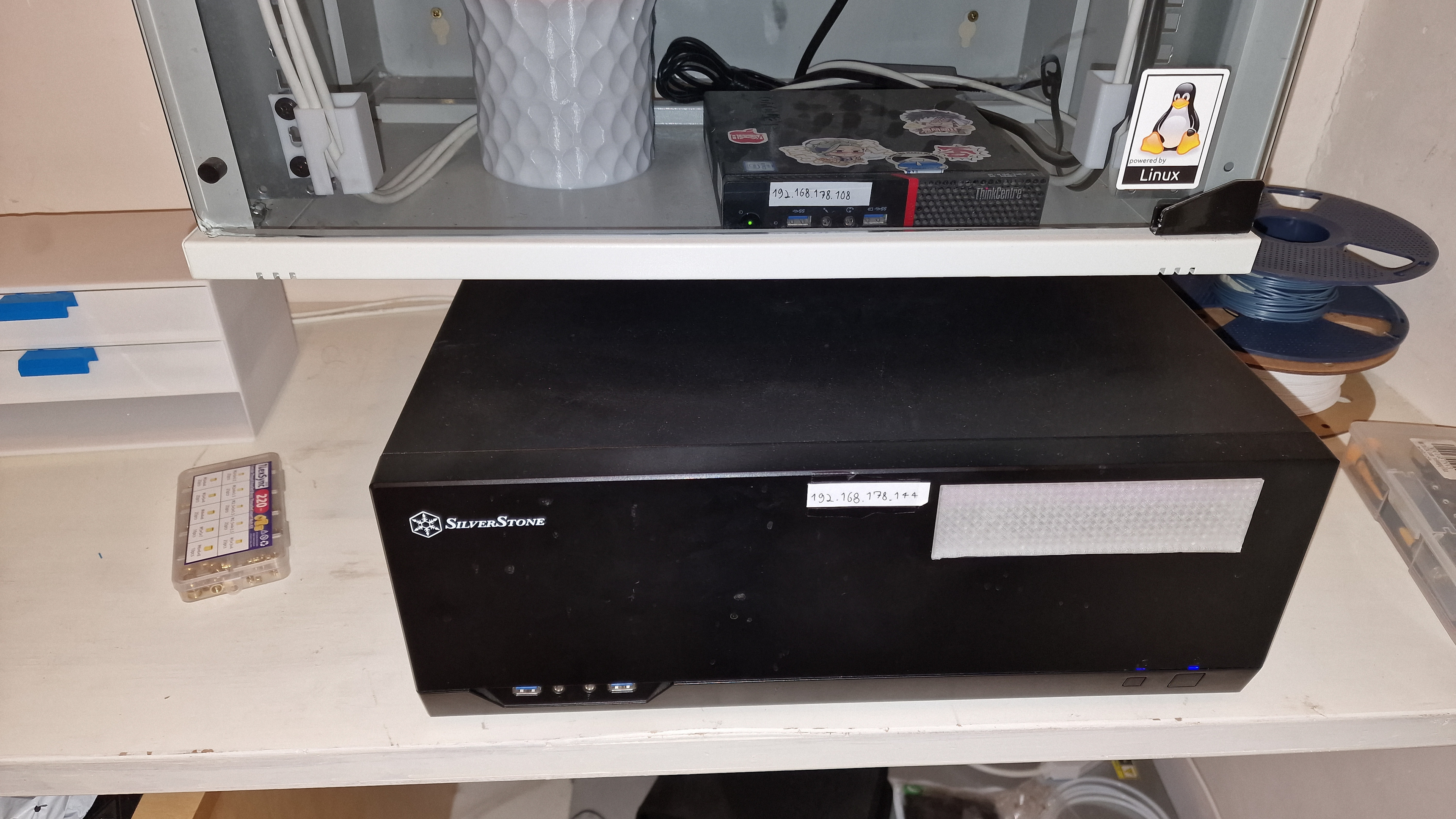
After a few months, I realized the Raspberry Pi wouldn't be enough for more serious projects. I needed more power, more RAM, more reliability. I found a used ThinkCentre with an Intel i5-6400T, 16GB of RAM, and 2TB SSD. It wasn't exactly a powerhouse, but for me it represented a huge quality jump.

This server became the heart of my infrastructure. Even today it hosts the backend of this website, runs Apache, PHP, and MySQL, and manages several Docker containers. It's my most reliable machine: powered on 24/7 for over two years without a single hardware problem.

This is where I learned to write code that needs to run in production. No more throwaway scripts on my laptop, but services that need to be always available, performant, and easy to maintain. Every bug in production was a lesson, every downtime an opportunity to improve monitoring and backups.

The Lucky Strike: HP ProLiant DL380 Gen9 for €300

One day, casually scrolling through eBay, I stumbled upon a seller liquidating enterprise servers. Among them was an HP ProLiant DL380 Gen9 with dual Xeon E5-2690 v3 and 256GB of RAM. The price? 300 euros.

I didn't think twice. It was an unrepeatable opportunity. Sure, it consumes quite a bit of power and makes quite a noise when it boots up, but having 24 cores and a quarter terabyte of RAM available opens possibilities that were previously unthinkable.

Currently the server is offline, waiting for me to find a used GPU for machine learning at a reasonable price. The market has gone crazy with the AI boom and everyone is selling old graphics cards at absurd prices. I'm waiting for the bubble to burst to complete the setup. Meanwhile, I study and plan what I'll run on it.

The DIY NAS: Recycled Components, Maximum Utility

When I upgraded my gaming PC, instead of selling the old components, I decided to put them to good use. A Ryzen 7 3700X, 32GB of DDR4, and a B450 Pro4 motherboard ended up in a new server assembled with consumer components.

For storage I implemented a serious configuration: two 256GB SSDs in RAID0 for the operating system (maximizing speed), and four 4TB HDDs in RAID5 managed with mdadm for data (balancing capacity, speed, and redundancy). This server hosts Plex for media streaming and functions as the main NAS for the entire house.

Setting up software RAID5 taught me a lot about enterprise storage management. I had to study mdadm, understand how distributed parity works, and especially learn the hard way the importance of backups. Spoiler: "hope for the best" is not a recommended backup strategy, but so far I've been lucky.

The Gaming PC: When Fun and Machine Learning Meet

My main setup is a gaming PC with Ryzen 7 9800X3D, 32GB of DDR5, and an RTX 3090. Originally intended for gaming, it has become my primary workstation for machine learning and development.

The RTX 3090 with its 24GB of VRAM is perfect for running language models locally. Currently I mainly run Qwen Coder and Gemma through Ollama. It's incredible to have capable artificial intelligence models available on your own computer, without having to depend on external APIs or cloud services.

I also use this machine for the Local RAG Example project, where I experiment with retrieval-augmented generation and vector databases. Having the GPU always available allows for rapid iterations and immediate testing, fundamental when working with AI.

Ubuntu Everywhere: The Pragmatic Choice

Ubuntu runs on all servers. The choice wasn't particularly philosophical: Ubuntu is the most popular Linux distribution, which means that for any problem there's already a guide, a Stack Overflow thread, or at least someone who has solved it before you.

When something breaks at 2 AM and you need a quick solution, the distribution's popularity matters much more than technical purity. Moreover, being the same distribution on all machines, I can reuse scripts, configurations, and procedures without having to adapt anything.

Networking: VPN, SSH, and CI/CD

All servers are accessible through a VPN. This allows me to manage them from anywhere while maintaining security. I've also configured SSH with proxy to allow CI/CD pipelines on GitHub Actions to automatically deploy code to the servers.

Seeing a push on GitHub automatically translate into a production deployment on my home server is one of those things that never stops amazing me. It's the magic of DevOps meeting the home lab.

Docker: The Orchestra Managing Everything

Docker runs on the ThinkCentre, orchestrating all backend services. Isolated containers for each service, easy to update, simple to scale if necessary. I learned to write efficient Dockerfiles, manage persistent volumes, and debug containers that behave strangely.

Docker also taught me the importance of immutability and reproducibility. A container that works on my laptop will work identically in production. No more "but it works on my machine".

Monitoring: Or Rather, the Lack Thereof

I must admit: I don't have a structured monitoring system. No Grafana, no Prometheus, no automatic alerts. My approach is much more... empirical. If something breaks, I notice when something doesn't work.

Is this something I need to improve? Absolutely yes. But it's part of the learning journey. Every time something goes wrong and I don't notice it immediately, I learn the importance of having visibility into systems. The next things on my list are precisely proactive monitoring and alerting.

Backup Strategy: Hope for the Best

Here too, I confess: my backup strategy is... optimistic. "Hope for the best" isn't exactly what they teach you in system administration courses, but so far I've been lucky. I have truly critical data duplicated on cloud, but for the rest I trust RAID5 and luck.

This approach stems from the fact that everything running on my servers is experimental or reproducible. If tomorrow the RAID5 decided to commit suicide, I would lose media and files, but I wouldn't lose code (that's on GitHub) or critical configurations (I've documented those). It's a calculated risk, though perhaps a bit too calculated.

What I've Learned in Three Years

Managing a home infrastructure has taught me things that no tutorial or online course could have taught me. I learned that theory is important, but nothing beats the direct experience of having to solve a real problem on a production system.

I learned that uptime is difficult. Keeping services always available requires planning, redundancy, and especially the ability to intervene quickly when something goes wrong. I learned to write more resilient code, to think about edge cases, to never take for granted that something will always work.

I learned that every server you add is a new problem to manage: more power, but also more complexity, more consumption, more failure points. Infrastructure must be designed, not just assembled.

The Future: GPU and Beyond

Plans for the future are clear: find a GPU for the HP ProLiant and transform it into a machine learning powerhouse. With 256GB of RAM and 24 cores, it will be perfect for training larger models and more serious experimentation with AI.

I also want to improve monitoring, implement more structured automatic backups, and maybe experiment with Kubernetes to have more sophisticated container orchestration. There's always something new to learn, always an optimization to make, always an experiment to try.

Why You Should Build Your Own Home Lab

If you're reading this article and wondering if it's worth starting, the answer is a resounding yes. You don't need to start with enterprise servers costing thousands of euros. A Raspberry Pi, an old laptop, or even just a VM on your computer can be the starting point.

What matters is starting to experiment. Install Linux, configure a web server, break something and learn to fix it. Every error is a lesson, every problem solved is a skill acquired. There's no better way to learn system administration, networking, and DevOps than having a real system to experiment on.

The home lab gives you the freedom to try things that you could never do at work. Want to crash a database to see what happens? Do it. Want to test a complex network configuration? Try it. Want to see if you can run a Kubernetes cluster on consumer hardware? Why not?

And most importantly, it gives you the satisfaction of having built something of your own. Seeing your services run on hardware you configured, on systems you manage, with code you wrote, is a feeling that no cloud service can replicate.

Conclusions

Three years ago I would never have imagined managing five servers and a complete infrastructure from home. It started as a way to save on hosting costs and turned into a learning journey that continues to this day.

Every server I've added has represented a new phase of my development as a developer and system administrator. From the Raspberry Pi that taught me the basics, to the ThinkCentre that made me understand what production means, to the HP ProLiant that will open the doors of enterprise machine learning.

If there's one thing I've learned in these years, it's that you don't need to wait to have the perfect setup to start. Start with what you have, experiment, break things, learn, and improve step by step. The perfect infrastructure doesn't exist, but the journey to build it is the most fun and formative part.

More articles: